
WordPress Introduction Course
WordPress for beginners
Learn how to use WordPress with our two-day course.
Our WordPress for beginners course will introduce you to the world of WordPress website design. Learn the fundamental skills you will need to design and manage a WordPress website.
Explore the terminology and key concepts.
Gain practical skills from our experienced trainers/website designers.
Who is this course for?
This WordPress course is perfectly suited to anyone who wants to learn how to create a WordPress website. Whether you want to create your own business website, redesign the one you have, or understand what your website design has done, this course will take you from step 1 through to completion of a website design. Learn the terminology and the possibilities when using WordPress for your website.
Learning Outcomes
At the completion of the WordPress Introduction training course you should be able to:
- set up WordPress on a localhost
- confidently log in to your WordPress website
- install, activate and customise a theme
- create posts and pages
- use the WordPress block editor
- manage categories and tags
- create navigation menus
- work with media files including images, video and audio
- create useful hyperlinks
- keep WordPress up to date
- configure widgets
- manage user accounts
- install and activate plugins
- create a basic online form
Prerequisites
WordPress Introduction assumes little or no knowledge of the software. However, it would be beneficial to have a general understanding of personal computers and the internet.
Course Duration
Our WordPress Introduction course is run over 2 days.
9:00am till 5:00pm
Course Overview
Introduction to WordPress
- Set up WordPress using a localhost
- Log in to the WordPress Dashboard
- Customise the WordPress Dashboard
- Customise basic site settings
Themes
- Working with Themes
- Parent vs Child Themes
- Explore options for choosing a theme
- Install a Theme
- Activate a Theme
- Using the Theme Customiser
Posts
- Posts vs Pages
- Create a new post
- Publishing Options
- Using the Block Editor
- Work with Categories
- Work with Tags
- Use Featured Images
Pages
- Create a new page
- Use Parent and child pages
- Use Page Attributes
- View Revisions
Menus
- Create your own navigation menu
- Assign menus to different locations
- Use different menu link option
Hyperlinks
- Create text-based hyperlinks
- Create image-based hyperlinks
- Set hyperlink options
Media
- Explore the Media Library
- Upload media content
- Add media details including alt text
- Edit an image within WordPress
- Create an Image gallery
- Upload audio and video
- Embed video from other sources
Update WordPress
- Keep WordPress up-to-date
- Keep plugins and themes up-to-date
Widgets
- What is a widget?
- Explore widget areas
- Add a widget
- Use built-in widget blocks
User Accounts
- Explore user permissions
- Manage User accounts
- Edit your own profile
- Create a new user account
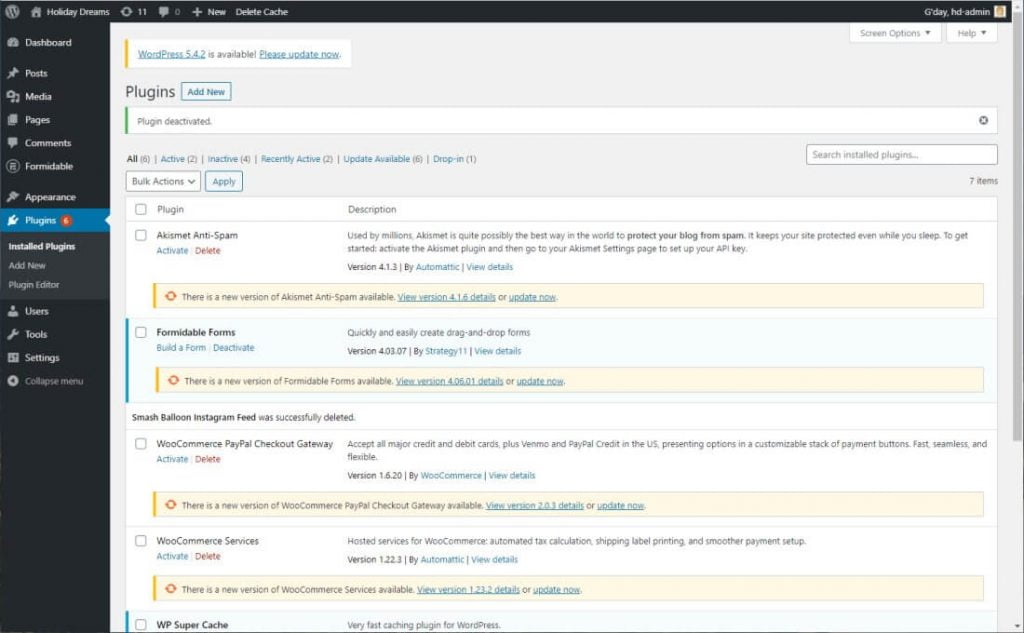
Plugins
- Install and configure a backup plugin
- Install and configure a form plugin
Course Inclusions
Skills Analysis
Take advantage of our free online skills analysis prior to your training to ensure you’re enrolled in the right course.
Certificate
After completing the course you’ll receive a certificate to show off your new-found WordPress knowledge.
Course Resources
All courses include a resources in various formats covering all content for the course.
Hands-on training
We’re big believers in hands-on learning so you’ll be on a computer and building your skills in real-time.
Email Support
Access unlimited support following your training course to build on your learning and ask any burning questions.
Real-world examples
There’s nothing better than working through real-world examples to reinforce learning and increase your confidence.
Course Pricing
Contact us for private course costings. Prices include GST.
Pricing as of 1st January 2026.
| Course Name |
Public Course Cost (2 Days) |
|---|---|
| WordPress Introduction | $980.00 per person |
Related Courses

WordPress Intermediate
- 2 day course duration
WordPress Webmaster
- 1 day course duration
Send an enquiry
0418 820 572
available Monday to Friday
9:00am till 5:00pm
Email: info@beltan.com.au