
WordPress Courses
Our WordPress Courses will help you become your own web designer!
Don't attend a course with 10 other people, book your private course today!
Instructor-Led WordPress Training Course
Learn how to manage your WordPress website.
Do you need to take charge of your business website?
Our WordPress courses are designed to teach you how to add new content, edit existing information, work with images and media, edit online forms and ensure your website is being backed up regularly.
Our WordPress classes will help you understand WordPress terminology and speak the “lingo” needed to liase with Web designers if or when needed. We’ll teach you how to be a WordPress Webmaster.
Become your own website designer - bring it in-house.
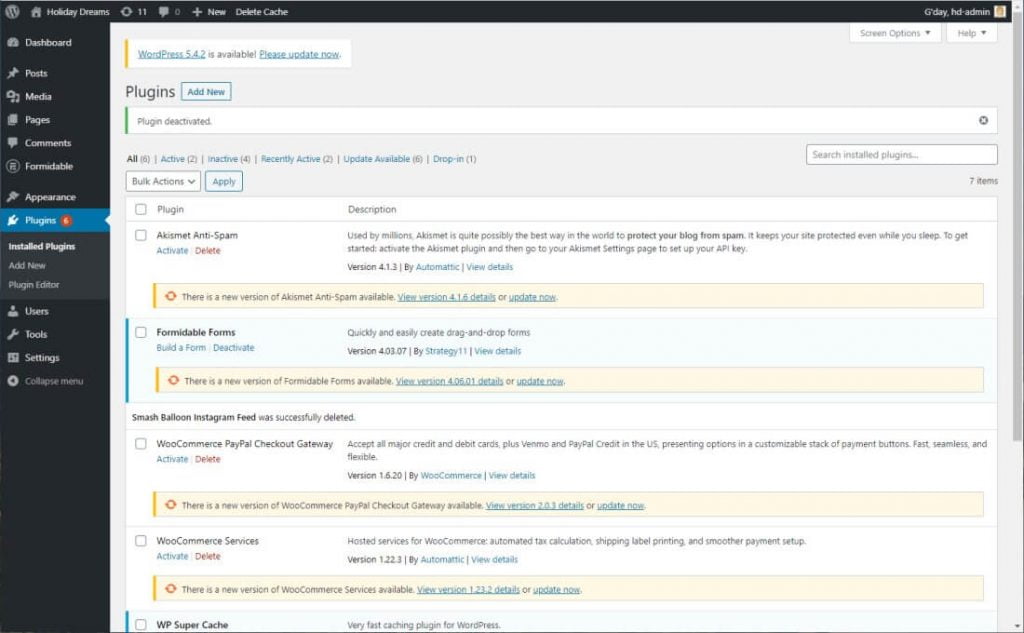
All WordPress courses are private sessions with only your staff in attendance. This gives you full access to customise the course as needed – no sharing your trainer or the course time.
Stop paying your website designer hundreds of dollars for regular changes to your website content. Take control and see how your in-house staff can use the #1 market leading content management system to update your company website.
Private Training Courses
All courses are conducted as private in-house sessions so that staff do not need to travel elsewhere. We bring the training to you.
One-on-one or Group Sessions
Learn one-on-one or include other staff for group training sessions. Groups of up to 10 people available.
Effective Targeted Training
Utilise our FREE skills analysis to identify staff skills gap and undertake targeted training in the areas your staff need help.
WordPress Courses
WordPress Introduction
2 day course
This course aims to provide participants with a thorough understanding of the basics of using WordPress. Participants will cover all essential aspects of the platform beginning with setup and installation right through to an introduction on customising CSS code.
- Understand system requirements
- Set up WordPress
- Navigate the dashboard
- Keep WordPress up to date
- Install a theme
- Create a post or page
- Use the WordPress block editor
- Manage Categories & Tags
- Create a menu
- Work with images & media
- Create links
- Use WordPress Tools
- Manage Comments
- Use Widgets
- Manage User Accounts
- Install plugins
- Configure security & back up
- Create an online form
- Customise basic CSS
WordPress Intermediate
2 day course
This course aims to give participants further understanding of managing a website using WordPress. Participants will cover editing some “backend” files within the database and WordPress files, install plugins such as social media integration, search engine optimization (SEO), ecommerce store and caching.
- Use WordPress on a localhost
- Explore key files within WordPress
- Keep WordPress up to date
- Understand FTP and cPanel
- Social media integration
- Explore standard SEO practices
- Configure an SEO plugin
- Create an online shop
- Configure shipping options
- Bulk import products
- Configure site caching
- Test page load speeds
- Create a slider
- Introduction to HTML and CSS
- Parent vs child themes
- Create a child theme
- Create custom CSS code
- Add custom PHP code
- Edit the functions.php file
- Edit header.php and footer.php files
WordPress Webmaster
1 day course
The WordPress Webmaster training course aims to give participants a thorough understanding of how to manage an existing website built with WordPress. Participants will cover how to create new content, manage existing content, add pages to navigation menus, upload and manage images and media types, manage website backups and security, integrate Google Analytics, and much more.
- Identify current theme & plugins
- Navigate the dashboard
- Keep WordPress up to date
- Create a new post or page
- Edit an existing post or page
- Use the WordPress block editor
- Schedule posts in advance
- Manage Categories & Tags
- Edit an existing navigation menu
- Edit existing hyperlinks
- Create new hyperlinks
- Edit link options
- Work with images & media
- Understand image optimisation
- Embed external media sources
- Create links
- Manage Comments
- Use Widgets
- Manage existing forms
- Manage an online shop
- Add new shop products
- Manage website back ups
- Monitor website security
Why Choose Us

- We bring the training to you
- Private courses for your team
- Hands on courses with practical exercises
- Customised content
- Choose between face-to-face or online
- Free online skills analysis prior to training
- Unlimited email support after your course
WordPress Course Pricing
Our private WordPress courses provide the flexibility to pick and choose the content you want to focus on and therefore customise the course content. Our courses are tailored for group training and provide a cost-effective way of training small teams.
Pricing as of 1st April 2024. All prices are including GST.
| # of participants |
In-Person 2 day course |
In-Person 1 day course |
Online 2 day course |
Online 1 day course |
|---|---|---|---|---|
| 1 participant | $1,320.00 inc GST | $660.00 inc GST | $1,210.00 inc GST | $605.00 inc GST |
| 2 participants | $1,672.00 inc GST | $836.00 inc GST | $1,562.00 inc GST | $781.00 inc GST |
| 3 participants | $2,024.00 inc GST | $1,012.00 inc GST | $1,914.00 inc GST | $957.00 inc GST |
| 4 participants | $2,376.00 inc GST | $1,188.00 inc GST | $2,266.00 inc GST | $1,133.00 inc GST |
| 5 participants | $2,728.00 inc GST | $1,364.00 inc GST | $2,618.00 inc GST | $1,309.00 inc GST |
| 6 participants | $3,080.00 inc GST | $1,540.00 inc GST | $2,970.00 inc GST | $1,485.00 inc GST |
Contact us for pricing with 6+ participants.
Costs include travel by our trainer to your premises within the Greater Sydney region.
Pricing will be confirmed at the time of your booking enquiry.
Frequently Asked Questions
We have several different WordPress course options for you to choose from: WordPress Introduction, WordPress Intermediate and our custom WordPress Webmaster course. Each course is suited for those at different stages in their WordPress journey. Pricing for training starts at $550.00 for a 1 day course with 1 participant.
If you are unsure which course which best suit you, simply give use a call to discuss your needs.
Just you! All of our courses are private sessions with only your staff in attendance. We do not conduct publicly scheduled courses. A private session gives you the flexibility to tailor the course content and timing to your staff needs. No sharing the training session with a dozen other people, it’s just you and the trainer.
Our WordPress Introduction and WordPress Intermediate courses are for anyone who is looking to develop skills to set up, design and manage a WordPress website.
Our WordPress Webmaster course is specifically designed for those who have had a website designed for them and now wish to take over management and updating of content on the website.
We can deliver small-group training in workplaces to train up staff inhouse or provide one on one WordPress courses to sole traders or hobbyists who want to learn how to set up and manage their own websites.
Our WordPress courses covers everything you need to know to set up and maintain your own WordPress site. We begin with the basics, teaching you how to install and set up WordPress and how to create pages, posts and add content. We then move onto plugins, themes and customisation, showing you how to personalise your website and get the most from the potential of the platform. We also dive into more advanced concepts, including CSS and PHP coding.
We offer three WordPress course options which cover everything you need to know. If you’re new to WordPress and want to learn it all, start with our WordPress Introduction course which covers the basics of setting up a website from scratch.
If you’re looking to expand your existing skills, our WordPress Intermediate course is a good choice to learn about more specific areas such as online shops SEO and social media integration.
If you’ve been put in charge of your companies website and need to learn how to update content, create new posts and pages, change navigation and undertake general maintenance, then our WordPress Webmaster course is specifically for you.
If you’re unsure about which WordPress course would best suit your needs, it’s a good idea to complete our free pre-course skills analysis, which is a simple online survey to gauge your existing skill level. Based on the results, we can recommend the right WordPress training course to meet the needs of you and your staff. If you’re still not sure, give us a call to discuss your requirements.
All our WordPress training is delivered face-to-face across Sydney. For teams located across multiple locations we offer online courses via Zoom or Microsoft Teams.
We share lots of tips and tricks and give you real-world examples as our trainers are also website designers and will share their knowledge and expertise with you. The best way to learn WordPress is hands-on, giving you the chance to use your own computer to complete sample exercises to reinforce learning. We believe that if you don’t explore WordPress for yourself, you won’t get the most from your learning.
All of our WordPress courses are conducted using WordPress.org. If you are unsure which version you are using, take a look at our blog post which details the two versions or call us to discuss.
Our WordPress Introduction and WordPress Intermediate courses are 2-day courses, with our WordPress Webmaster course delivered over 1-day. We work with you to choose a duration that suits your business needs. Generally, classes start at 9:00 am and finish around 4:00 pm, but we can customise these times to suit your needs, offering half-day or shorter sessions if required.
During the training session, you will be provided with electronic training resources to assist with ongoing learning. You also receive on-going support via email. We don’t place any time limits on this support, so you can access this service as needed, as long as your support queries remain related to the content covered in the training session.
Our WordPress training is delivered by Belinda Anderson who is a qualified trainer and holds a Certificate IV in Training & Assessment (TAE40110). Belinda has over 16 years experience in website design and 20+ years in the training industry and also subcontracts to other companies to deliver WordPress training on their behalf.
Belinda is passionate about website design and WordPress and she will help you gain both the theoretical and practical knowledge you need to master WordPress.
Send an enquiry
0418 820 572
available Monday to Friday
9:00am till 5:00pm
Email: info@beltan.com.au